
 (No Ratings Yet)
 Loading...
Why would anyone want to password-protect their PowerPoint presentations? There are many reasons, and here are some of them. A presentation with confidential content can be prevented from being edited if it is password protected. Nobody without access to the password can open or edit the presentation file. The password-protected presentation is safer to share. You can provide the password to the person whom you are sharing the presentation with if they need to edit. In addition to providing a password-to-open option, PowerPoint provides a less restrictive password-to-modify option. So, your presentation can be opened by anybody, but can’t be modified, this makes your content non editable.

Learn how to password-encrypt your presentation in PowerPoint 2003 and 2002 for Windows.
Related Posts
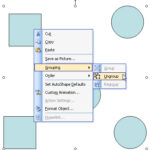 Before starting this tutorial, make sure you have a group of slide objects. Thereafter, follow these steps to ungroup objects in PowerPoint 2002 and 2...
 When you have many (or more than one) slide objects on a slide that you want to manipulate in the same way, you might want to consider grouping them. ...
 We have already covered the fill and line options in PowerPoint 2003 and earlier. While these versions of PowerPoint do not have a dedicated "effects"...
 In a previous tutorial, we showed you how you can format line attributes (outlines) in PowerPoint 2003 or earlier. In this tutorial, you will learn mo...