
Some things are better shown than read! Creating or animating a car in PowerPoint is just one of those things. So in this video tutorial, you will learn how you can use PowerPoint’s basic shapes to create a car, moving wheels, a steering, and even a driver! We will then explore how you can animate them all at the same time.
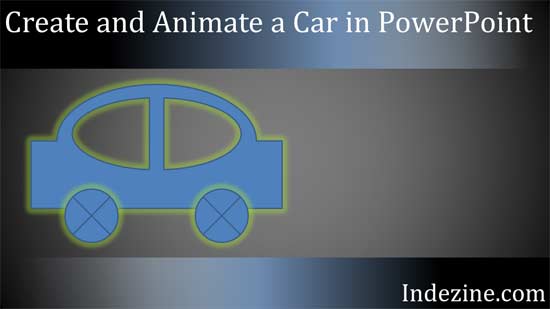
Learn how you can create a simple car in PowerPoint and animate it, with moving wheels too!
Related Posts
 This presentation accompanies a video tutorial. Look at the video and try creating this animation or something similar on your own. We are sure you wi...
 Many times, you may want to add an image within a star shaped container, or any other container shape, such as a diamond, a teardrop, or even a triang...
 In today's post, I'm sharing a video I created that shows how you can add a picture fill to your text in PowerPoint. This trick works in almost all ve...
 Do you want to create a flower diagram, or just draw a normal flower? You will soon realize that PowerPoint’s Shape Gallery offers no Petal shape or e...