

First, check out this tutorial on using media playlists in PowerPoint 2003. You can also use the same trick in PowerPoint 2007.
Glenna Shaw, Microsoft MVP says how cool this is for looping presentations. Follow these remaining directions for looping music. Just treat the “movie” like a sound!
Thank you, Glenna!
Related Posts
 We added this new article on AbsolutePPT that explores housekeeping tasks you need to follow before converting your PowerPoint presentation to a movie...
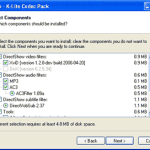 What do you do when you insert a movie in a PowerPoint slide that refuses to play? There could be any number of reasons for it not to play, but more o...
 AbsolutePPT has a great, new tutorial that shows you how you can create YouTube content with nothing other than PowerPoint and Windows Movie Maker.The...
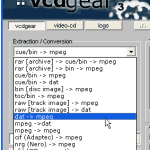 The easiest way to convert the DAT movie files within a VideoCD disc to a common movie file format like MPEG is to use a free application called VCDGe...