

Henk de Groot has been very involved in display and presentation technology. In the last 17 years, he has held various management positions at Tektronix in Europe and the USA; he led the European operation of InFocus projectors right from its startup for 9 years. He is the owner of Intelligent Lectern Systems BV and Sho-Q BV, where he developed a new presentations systems solutions that creates a product category and new levels of productivity in presenting and teaching.
Geetesh: Tell us more about your role and Sho-Q.
Henk: As CEO of Sho-Q, I am very involved in all aspects of the company, which fundamentally falls into 2 separate categories—The development of the products and working with end-users on making sure that the product has the right features and that these features can be developed into current and future versions of the products. It is the most fun I have had in years, truly making a difference and enhancing the presentation experience.
Geetesh: What things does Sho-Q do well?
Henk: We are all about enabling the presenter. PowerPoint does a great job of developing presentations. However, it does not enable the presenter or presenters to deliver a seamless presentation, especially in a multi-presentation environment. That is where Sho-Q comes in.
The software has a load of features on both the organization and the delivery side.
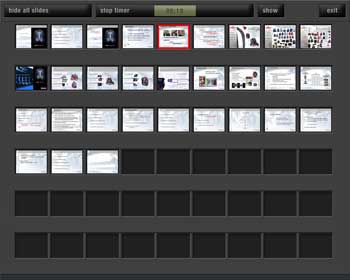
Figure 1: Show all Slides
Seamless transitions between presenters and presentations, the ability to set up Intermezzo screens so attendees don’t have to watch the whole setup process, users’ ability to walk up to a presentation device, and effortlessly using a USB Flash device run a presentation and when finished walk away with the security of knowing that their presentation is not on the machine they just used are just some of the features.
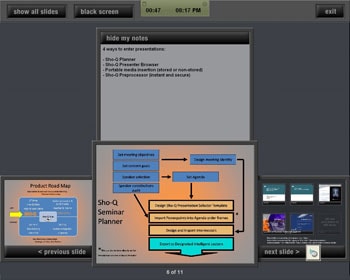
Figure 2: Presenter View

Figure 3: Selector Screen View
Additionally, users can time their presentation, see their notes, and navigate their presentation, all though a very intuitive screen that runs on a touch display. This is the first PowerPoint-enabled software application specifically written for touch displays.
So we are both a software and hardware company. We develop a complete line of touchscreen-enabled lecterns, again enabling the presenter. That is what we are all about.
The views and opinions expressed in this blog post or content are those of the authors or the interviewees and do not necessarily reflect the official policy or position of any other agency, organization, employer, or company.
Related Posts
 Laszlo Diewald has been working as a consultant for more than 10 years now. He started his career as an employee right after h...
 Paul Lukehart is founder and managing principal of PL Programs LLC, a project consulting firm founded in 2020. His...
 Luca Gianni is not your typical tech founder. An Italian-American with an understated demeanor, Luca prefers letting his work speak for itself rather ...
 Zafer “Zafe” Mustafa is a visual advocate with over 20 years of experience helping legal teams present clear, compelling case themes. He s...