
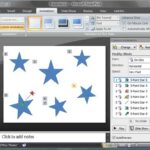
One of the simplest motion path tricks is using the reverse motion path option. This is very helpful if you want an object to animate using a motion path, and then animate again from the end of the motion path to the beginning!

Reverse the direction for Motion Path animations in PowerPoint 2007, 2003, and 2002 for Windows.
Related Posts
 Before you learn to add animation to any slide object, do remember that there are three ways in which your animation can be set to play. These are cal...
 Motion Path animations determine the route (path) and the direction in which the animated slide object moves across or around the slide. For example, ...
 We put up three online presentations that show every animation effect for the entrance, emphasis, and exit animations in PowerPoint. Bookmark these pa...
 We explained what animation is, and what guidelines you need to follow before you add an animation to a slide object in PowerPoint. You can add animat...