
This tutorial shows you how you can group slide objects in PowerPoint 2007 and higher with regular Ribbon tab controls, right-click options, and shortcut keys. When you have many (or more than one) slide objects on a slide that you want to manipulate in the same way, you might want to consider grouping them. Grouping can be helpful in many scenarios.

Learn how to group objects on a slide in PowerPoint 2007 for Windows.
Related Posts
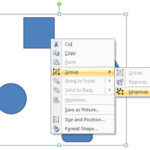 You can ungroup a slide object only if they are grouped in the first place. Before starting this tutorial, make sure you have a group of slide objects...
 In previous tutorials, we have explained the formatting of shape outlines in PowerPoint 2007 and changing the weight of shape outlines. In this tutori...
 At times, you may want to change your default version of PowerPoint. This decision can be important for you if you have multiple versions of PowerPoin...
 PowerPoint add-ins help in adding new capabilities that can polish your presentation in many ways. But when the time comes to uninstall these add-ins ...