
If you have already installed Theme Builder and created a new theme by playing around, you might get disappointed to learn that PowerPoint complains about the theme files you created being corrupt.

Learn how you can open any existing Theme in Theme Builder.
Related Posts
 After finding that Themes saved in Theme Builder were not working in PowerPoint 2010 (Windows) and 2011 (Mac), we decided to explore the issue further...
-
We have seen strange things happening with Theme Builder and how it plays with PowerPoint 2010 (and PowerPoint 2011 for Mac). For some reason, Theme B...
 Some applications do identify font types by placing icons next to a particular font in a listing. Such behavior is an exception rather than a norm, an...
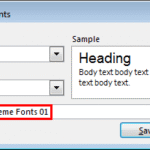 Theme Fonts are font choices that are part of a Theme in PowerPoint or other Microsoft Office programs. Each Theme Font set has two font choices, one ...