
When you have many (or more than one) slide objects on a slide that you want to manipulate in the same way, you might want to consider grouping them. Grouping can be helpful in several scenarios: You want to animate several slide objects at the same time as a single object, or you have too many objects on the slide, and want them all grouped so that you don’t have to select them individually all the time, or maybe you just like to have all objects on your slide organized.

Learn how to group objects on a slide in PowerPoint 2003 and 2002 for Windows.
Related Posts
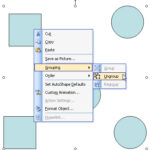 Before starting this tutorial, make sure you have a group of slide objects. Thereafter, follow these steps to ungroup objects in PowerPoint 2002 and 2...
 We have already covered the fill and line options in PowerPoint 2003 and earlier. While these versions of PowerPoint do not have a dedicated "effects"...
 In a previous tutorial, we showed you how you can format line attributes (outlines) in PowerPoint 2003 or earlier. In this tutorial, you will learn mo...
 We previously explained how you can format a line with color, weight, and dash styles in PowerPoint 2003 and previous versions. Now, let us show you h...