
If you share your PowerPoint presentations with other people, you may want to protect or lock your content so that the slides may only be viewed and not edited. Or perhaps you want to provide editing control only with a password. PowerPoint provides an Encrypt with Password option to protect your presentation. However, let us ponder about why anyone would need to password protect their PowerPoint presentations?

Learn how to password-encrypt your presentation in PowerPoint 2010 for Windows.
Related Posts
 Are you stuck with a presentation that uses strange fonts? Or have you inherited slides where you need to change fonts globally? Fortunately, you don’...
 Sometimes, you want to know whether you are running a 32 or 64-bit version of PowerPoint or Office. Yes, if you are running a 32-bit version of Window...
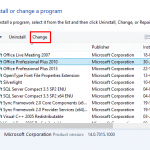 At times, you may want to change your default version of PowerPoint. This decision can be important for you if you have multiple versions of PowerPoin...
 We already looked at the Trust Center in a previous tutorial. But who knew that there so many settings available within the Trust Center? In this tuto...