
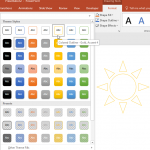
PowerPoint’s fill, line, and effect attributes enable users to customize the look of the presentation, but sometime it may take ages to get that perfect color coordination and even after spending time the final look may not match the Theme of the presentation. To end up with a coordinated color combination for the slide objects in your presentation, you can use the Shape Styles gallery that contains a collection of prebuilt styles. These styles are all Theme-specific, so if the presentation Theme is changed – you’ll end up with new Shape Styles.
Related Posts
 When you insert a new shape on a slide in PowerPoint 2013 (or in any previous version), by default it is filled with a solid color and an outline (or ...
 PowerPoint's fill, line, and effect attributes enable you to customize the look of shapes and other slide objects in your presentation. However, it ma...
 PowerPoint's fill, line, and effect attributes enable you to customize the look of shapes and other slide objects in your presentation. However, it ma...
 In this series of tutorials, I have showed you how you can use all Shape Effects available in PowerPoint 2010. This last tutorial of this series build...