
Once you add a connector to link shapes in PowerPoint 2010, you can then format their line thickness, dash attributes, etc. to match your requirements. Connectors are just like conventional lines in PowerPoint, even as far as their formatting options are concerned — so changing the color attributes of a connector is almost like changing the color of any line, as you will learn in the following steps.
Learn how to change color of connectors in PowerPoint 2010 for Windows.
Related Posts
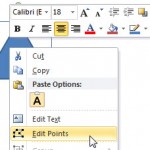 While PowerPoint lets you attach a connector to any slide object, these connectors can only be attached to wherever you see an anchor point on the sli...
 You have already learned about all the amazing stuff you can do with connectors in your PowerPoint 2010 slides -- all the way from drawing connectors ...
-
When a connector is drawn to link two shapes together, it gets attached to a certain point on both shapes. These points are typically those that show ...
-
Connectors may be different than lines in certain ways because they are linked to the shapes they connect -- move the linked shape, and the connector ...