
Whenever you add text to a placeholder in PowerPoint, it defaults to creating a bulleted list. Even when you import an outline in PowerPoint, all the content other than the slide titles ends up becoming bulleted text. While this may work in some situations, in others you may want to either remove the bullets altogether, or convert it to a numbered list.
Learn how to change a bulleted list to a numbered list in PowerPoint 2010 for Windows.
Related Posts
 Have you ever been in a situation where your presentation looked so awesome with some amazing typography, but when you opened the same presentation on...
 There is no built-in tool for highlighting text in PowerPoint 2010. However, there is a workaround to highlight your PowerPoint text using the Text Hi...
 As of now, no PowerPoint version supports text highlighting as a feature you can add to selected text. And, before we explore a workaround to overcome...
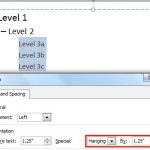 When your text paragraphs comprise multiple bulleted levels, indentation becomes a must to make your text look consistent and clear. Indent Markers vi...