
 (No Ratings Yet)
 Loading...
Let us imagine that you have a long numbered list that forms the content of your PowerPoint slide. Now, it is not uncommon for slides to have numbered lists that comprise twenty lines, and that is singularly unfortunate because even if members of your audience have perfect eyesight, they won’t be able to read the teeny-weeny sized text! And let us face the fact that too much text is downright boring, and nowadays any sort of bulleted or numbered lists seem to signify a poorly designed slide. One approach you can take to combat this problem is by dividing your list across multiple slides — but even then PowerPoint may default to numbering your lists at 1 on each slide — even when you want it to start at 6, 11, or 16! Luckily, that is an easy problem to conquer.
Learn how to start or restart the numbering for numbered list in PowerPoint 2010 for Windows.
Related Posts
 Have you ever been in a situation where your presentation looked so awesome with some amazing typography, but when you opened the same presentation on...
 There is no built-in tool for highlighting text in PowerPoint 2010. However, there is a workaround to highlight your PowerPoint text using the Text Hi...
 As of now, no PowerPoint version supports text highlighting as a feature you can add to selected text. And, before we explore a workaround to overcome...
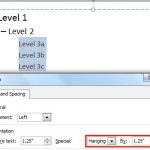 When your text paragraphs comprise multiple bulleted levels, indentation becomes a must to make your text look consistent and clear. Indent Markers vi...