
PowerPoint’s fill, line, and effect attributes enable users to customize the look of shapes in a presentation. However, it may take ages to get that perfect color for a shape fill — and even after spending so much time the final look may not match the overall Theme of your presentation. To end up with shapes that use coordinated colors, you can use the Shape Styles gallery that contains a collection of preset styles. These styles are all Theme-specific, so if the presentation Theme is changed — you’ll end up with new Shape Styles that are always coordinated.
Categories: office_mac, powerpoint_2011, tutorials
Related Posts
 Unlike the Windows versions of PowerPoint which shows the active Theme name on the Status bar, the Mac version does not show the active Theme name any...
 Sometimes while working in PowerPoint it may so happen that you know a particular word is misspelled, but PowerPoint's spell check doesn't seem to thi...
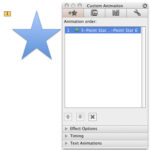 Once you have an animation applied to a particular slide object, the need to change that animation may arise for several reasons: You realize that ano...
 Before we begin, let us make it clear that this tutorial is primarily for those people who have more than one version of PowerPoint installed on their...