
PowerPoint provides umpteen Themes that can be applied to enhance the look of your slides. However, you’ll soon get tired of all the ready-made Themes and their associated Background Styles because not only is everyone using the same Themes, but most of these verge on the geometric rather than organic look. The key is to make your slides appear “handmade” so that they stand apart. This tutorial leads you steps to change a plain background into something that’s more personal.
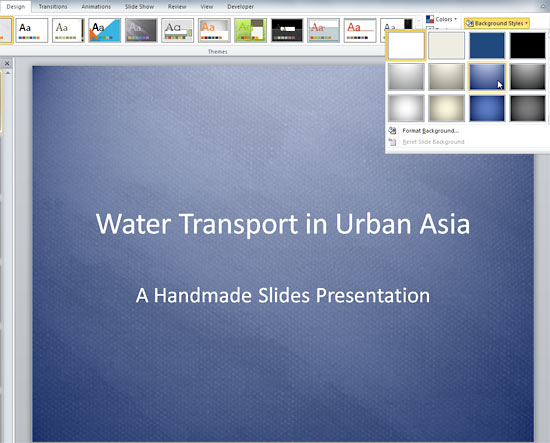
Explore how you can apply a transparent texture background in PowerPoint 2010 for Windows.
Related Posts
 Among PowerPoint 2010's newest and most magical abilities is the Remove Background option that lets you remove the background from an inserted picture...
 This technique originated from a video clip that Bruce Gabrielle posted on his blog -- this video showed you how you can create a triangular table in ...
 PowerPoint allows you to save your slides to many graphic file formats, which can later be used in other applications as required. One of the most pop...
 These "sticky tape" graphics have a textured look and are already placed in PowerPoint slides – just copy them and paste within your slides to create ...