
When you explore text containers in PowerPoint, you’ll find that there are essentially three kinds: text placeholders, text boxes, and shapes — we explain shapes in our comprehensive section on Shapes tutorials — let us now look at the other two text container types. Aren’t text placeholders and text boxes the same? Are they really different? And why should we bother even if they are different? All these are valid questions, and the answers to them form one of the most important foundations in learning to create more structured presentations. We will now explore the relationship between text boxes and text placeholders in PowerPoint 2013 for Windows.

Learn about the differences between text placeholders and text boxes in PowerPoint 2013 for Windows.
Related Posts
 Text is an important element in your PowerPoint slides, and most of the time, text alignment is taken care by the defaults set in your presentation te...
 Are you stuck with a presentation that uses strange fonts? Or have you inherited slides where you need to change fonts globally? Fortunately, you don’...
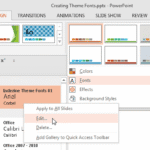 Theme Fonts comprise a pair of font choices, one each for your slide titles (Heading font) and the other for everything else on your slides (Body font...
 Unlike slides which are primarily presented through a display device such as a monitor, TV screen, or projector, the Notes and Handouts in PowerPoint ...