
While you can create flowcharts of all types in Microsoft Office applications quite easily using techniques explained in our Basic Flowcharts in Microsoft Office tutorial, there are ways in which you can create linear, non-branched flowcharts even more easily with just one click! These one-click flowcharts let you convert a bulleted list to a flowchart in an instant using the SmartArt diagramming feature. Before we proceed further, let us tell you that these SmartArt flowcharts are only useful for very simple concepts – they also have several limitations.

Learn how to use SmartArt to quickly create simple flowcharts.
Related Posts
 Once you have inserted an organization chart (org chart) within PowerPoint 2013, you might need to change the layout of the org chart. The "layout" me...
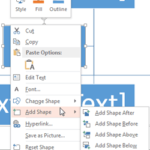 After inserting an Organization Chart (org chart) in PowerPoint 2013, you might need to add more shapes to your org chart. The default org chart that ...
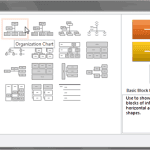 You won’t find an option to add an Organization Chart in PowerPoint 2013’s Insert tab of the Ribbon. Instead, you will find the SmartArt option in the...
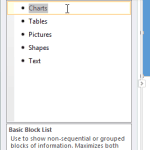 All the SmartArt layouts have text placeholders, which are basically text boxes. You can click and start typing within these placeholders to add text....