
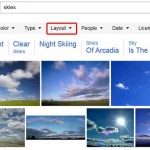
Bing’s Image Search provides various combinations of filters using which you can narrow down your searches to acquire the exact results you are seeking. You can search by size, type, color, layout, people, and date. However, unless you are just visually browsing, or saving on Pinterest, there’s no sense in looking for pictures that you cannot use. Yes, there’s nothing stopping you from saving these pictures and using them in your presentations or elsewhere, but did you know that this simple task may not be legal? So how can you determine which picture can be used legally, and which ones cannot be used? That’s exactly the topic of this page. We will explore what we believe is Bing’s most essential filter above all other filters; yes, this is the License filter. The License filter comes in very handy when you are in need of pictures which you can use, share, or even modify for personal or commercial use.

Learn how to search images in Bing using the built in License filters.
Related Posts
 Each minute, millions of pictures get posted on the internet. And within this high-traffic driven and constantly changing network, finding a picture w...
 Searching for the right picture online involves more than just entering a search term and then praying that you find a picture that works best for you...
 Some keywords just belong to people! Typically, most pictures that are related to movies, sports, community activity, or physical fitness will have a ...
 For almost every search term that you input on Bing's Image Search, you get results with tons of pictures scoured from every nook and corner of the in...