
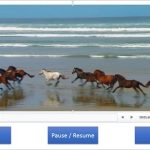
A Video Action in PowerPoint is something that causes an event for any inserted movie/video clip — these are simple events such as Play, Pause, Resume, and Stop. Although PowerPoint classifies Movie Actions as an animation type, these are not strictly animations. However, since Movie Actions can be accessed through the Add Animation gallery, we have included this tutorial in our Animations section. Once you add these Media Actions to your video clips, PowerPoint will allow you to make these Actions interact with other animations, including Triggers.

Learn how you can create Media Actions for video clips in PowerPoint 2013 for Windows.
Related Posts
 You have a 5 minute video or audio clip playing on your slide. And exactly after the clip has played for 30 seconds, you want some text to appear supe...
 An interactive PowerPoint presentation always interests audiences since it gets them involved actively navigating the slides. However, the audiences f...
 Similar to the Screenshot option that lets you capture still screenshots, you can use the new Screen Recording option in PowerPoint 2013 for Windows t...
 If you want to create movie-credits style animations in PowerPoint, you will miss the Crawl Entrance animation option that was available in older vers...