
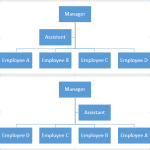
Once you have inserted an organization chart (org chart) within PowerPoint 2013, you might need to change the layout of the org chart. The “layout” means how the subordinate levels in the hierarchy branch out from top to bottom — probably you want all subordinates flushed to the left, hanging to the right, or distributed evenly across a horizontal plane — you will learn more about how this works in this tutorial.

Learn how to change the layout of your organization chart in PowerPoint 2013 for Windows.
Related Posts
 Once you have inserted an organization chart (org chart) within PowerPoint 2013, you might need to change the layout of the org chart. The "layout" me...
 After inserting an Organization Chart (org chart) in PowerPoint 2013, you might need to add more shapes to your org chart. The default org chart that ...
 You won’t find an option to add an Organization Chart in PowerPoint 2013’s Insert tab of the Ribbon. Instead, you will find the SmartArt option in the...
 After inserting an Organization Chart (org chart) in PowerPoint 2013, you might need to add more shapes to your org chart. The default org chart that ...