
People talk about how bullets can cause “death by PowerPoint” — and while that may be partially true, it certainly is not the complete truth — not everyone is the rush to abandon bullet points in their slides! The truth however is that too much of anything cannot be good and bulleted lists are almost the mainstay of PowerPoint slides these days. Most of PowerPoint’s slide layouts are already set up with placeholders for bulleted lists (or paragraphs) – so that when you start typing into a text placeholder, your text is automatically bulleted. Making some changes to how your bullets appear visually can make a subtle difference.

Learn how to change the bullet styles of selected text in PowerPoint 2013 for Windows.
Related Posts
 Text is an important element in your PowerPoint slides, and most of the time, text alignment is taken care by the defaults set in your presentation te...
 Are you stuck with a presentation that uses strange fonts? Or have you inherited slides where you need to change fonts globally? Fortunately, you don’...
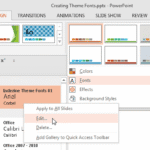 Theme Fonts comprise a pair of font choices, one each for your slide titles (Heading font) and the other for everything else on your slides (Body font...
 Unlike slides which are primarily presented through a display device such as a monitor, TV screen, or projector, the Notes and Handouts in PowerPoint ...