
Although PowerPoint does include options to use pictures, SmartArt, charts, sounds, and even video clips, we rarely see presentations that have no text at all. Nothing conveys a message better than text, and even pictures do need captions in the form of text. In PowerPoint, several slide objects can include text — these include text placeholders, text boxes, shapes, tables, SmartArt, charts, etc. In this tutorial though, we are only exploring selecting and editing text within text placeholders, text boxes, and shapes.

Related Posts
 Text is an important element in your PowerPoint slides, and most of the time, text alignment is taken care by the defaults set in your presentation te...
 Are you stuck with a presentation that uses strange fonts? Or have you inherited slides where you need to change fonts globally? Fortunately, you don’...
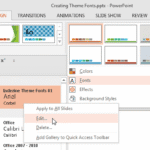 Theme Fonts comprise a pair of font choices, one each for your slide titles (Heading font) and the other for everything else on your slides (Body font...
 Unlike slides which are primarily presented through a display device such as a monitor, TV screen, or projector, the Notes and Handouts in PowerPoint ...