
When you insert a shape within PowerPoint, you are not limited to what their default appearance looks like. You may want to change a rectangle to a rhombus, or even edit a curved or freeform line differently. The good news is that you can do this using the Edit Points option — this almost makes PowerPoint a drawing program that provides you the option to play with vertexes (points), handles, etc. — very similar to what you would do in Adobe Illustrator or CorelDRAW.
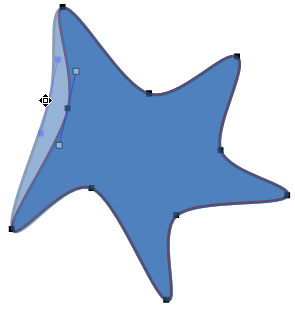
Learn how to edit the structure of a shape in PowerPoint 2007 using the Edit Points option.
Related Posts
 A line (outline) in PowerPoint contains both points and segments. In this tutorial, we will show you how segments (the line area between one point and...
 The Shapes Gallery in PowerPoint consists various shapes, both open and closed. Most of the shapes in this gallery are closed shapes, for example, a R...
 You learned what Edit Points in PowerPoint are and how this option influences the look of shapes in PowerPoint. Even though the Edit Points option edi...
 After learning how to format shape outlines in PowerPoint 2007, apply weight and dash styles, arrowheads add gradients to outlines, you are now ready ...