
Once you add a Place in PowerPoint for iPad, you may want to remove it. This is especially true if a friend or colleague temporarily added their OneDrive or Dropbox location to work on an urgent file using your iPad or iPhone. Or you may have added a personal Place account to your organization’s device. Fortunately, it’s easy to remove a Place.

Learn how to manage and remove connected services in PowerPoint for iPad.
Related Posts
 In our Sharing Dubsmash Videos tutorial, we showed how you can export your Dubsmash videos on iOS devices to your Photos folder. In this tutorial, you...
 Desktop versions of PowerPoint let you choose where you want to save your files. They also prompt you to save your files if you close PowerPoint witho...
 While you can access your PowerPoint files saved on a cloud location such as iCloud Drive – or even from a saved Place such as OneDrive or Dropbox, th...
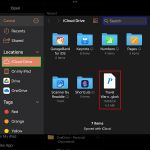 For OneDrive and Dropbox, you can add them as a Place within PowerPoint for iPad to access and save files. Apple’s iCloud doesn’t work the same way. Y...