
PowerPoint 2016’s work area below the Ribbon continues to be tri-paned. These three panes comprise the Slides Pane, the Slide Area, and the Notes Pane. The Slides Pane is the thin strip on the left side of the PowerPoint 2016 interface that contains thumbnails of all your slides. Within Normal view, the Slide Pane allows you to move slides easily from one position to the other just by dragging and dropping.

Learn about the Slides Pane in PowerPoint 2016 for Windows.
Related Posts
 Notes Page view is one of nine views available in PowerPoint 2016 for Mac. This view shows you how your printed notes pages will appear. First of all,...
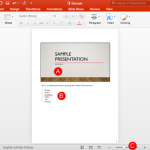
 PowerPoint 2016 for Mac's work area below the Ribbon continues to be tri-paned. These three panes comprise the Slides Pane, the Slide Area, and the No...
 The Ribbon made its debut in PowerPoint 2011 for Mac. Unlike the PowerPoint versions on Windows though, the Ribbon did not replace all the menus and t...
 While PowerPoint does have an option to automatically compare presentations, sometimes doing this comparison manually can be actually more effective, ...