
Unlike in previous versions of PowerPoint on Mac such as PowerPoint 2011 for Mac, the new PowerPoint 2016 on Mac has no option to enable the Developer tab on the Ribbon. So, what about all the options within that tab? And why did Microsoft take it away? Let us learn more.

Learn about the Developer tab of the Ribbon in PowerPoint 2016 for Mac.
Related Posts
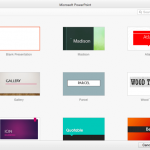 Backstage view is not akin to other PowerPoint views such as Slide Sorter view or Normal view that relate to working with slides. In fact, Backstage v...
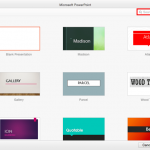 When launched, PowerPoint 2016 for Mac typically opens the New Pane of Backstage view that contains the Presentation Gallery. The Presentation Gallery...
 When PowerPoint 2016 for Mac is launched, you see the PowerPoint 2016 for Mac interface. Notice the bright orange color used for the interface. If you...
 PowerPoint 2016 for Mac's work area below the Ribbon continues to be tri-paned. These three panes comprise the Slides Pane, the Slide Area, and the No...