
 (No Ratings Yet)
 Loading...
Whenever a new shape is inserted on a slide in PowerPoint 2016, it is filled by default with a solid color (or something else depending on the Theme your presentation is based on). Other than a solid fill type, PowerPoint 2016 provides several more options that let you fill a shape with a picture, a gradient, a pattern, or a texture — and we have explored these other fill options in our Fills for Shapes in PowerPoint 2016 tutorial. In this tutorial, we’ll show you how you can work with solid color fills.

Learn how to add solid fill to selected shapes in PowerPoint 2016.
Related Posts
 Once you add gradient fills to shapes in PowerPoint 2016 for Mac, you may want to make the gradient fill look a little or a whole lot different. Yes, ...
 Whenever a new shape is inserted on a slide in PowerPoint, it is filled by default with a solid color (or something else depending on the Theme your p...
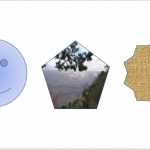 When you insert shapes on a PowerPoint slide, you will notice that all shapes you insert contain the same fill. Most of the time, the shapes may conta...
 Do you want to create a pentagon-shaped table? Even better, don't you want to use a process that not only makes the table completely editable, but whi...