 June 9th, 2017
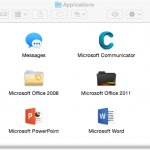
Set PowerPoint 2016 for Mac as the Default Version

See Also:
PowerPoint and Presenting Notes
PowerPoint and Presenting Glossary
 Ampler: Conversation with Kristian Johansen
Kristian Johansen is CEO and founder of Ampler, an integrated productivity platform for Microsoft Office. Ampler enables users to work faster, easier, and more efficiently in PowerPoint, Word, and Excel, and includes a series of tools that can be integrated into existing Office installations. Kristian has a background as a management consultant from Bain & ...
 Presentation Summit 2026: Conversation with John Polk
Conversation with John Polk on AI‑powered presentation design, POWER prompts, and insights from his Presentation Summit 2026 session.
 Presentation Summit 2026: Conversation with Troy Chollar
Interview with Troy Chollar on workflow, animation clarity, and presentation design for Presentation Summit 2026.
Microsoft and the Office logo are trademarks or registered trademarks of Microsoft Corporation in the United States and/or other countries.