
PowerPoint for the Web may be only a web app that runs in your browser, but that hasn’t stopped Microsoft from making it so full-featured that it includes almost all interface elements typically found in desktop programs, including a Status bar! Let us explore both the Status Bar as a whole and individual options within this Status Bar. The Status Bar is a thin strip located at the bottom of the Interface in PowerPoint for the Web. This area provides information about the active slide and also provides several View options.
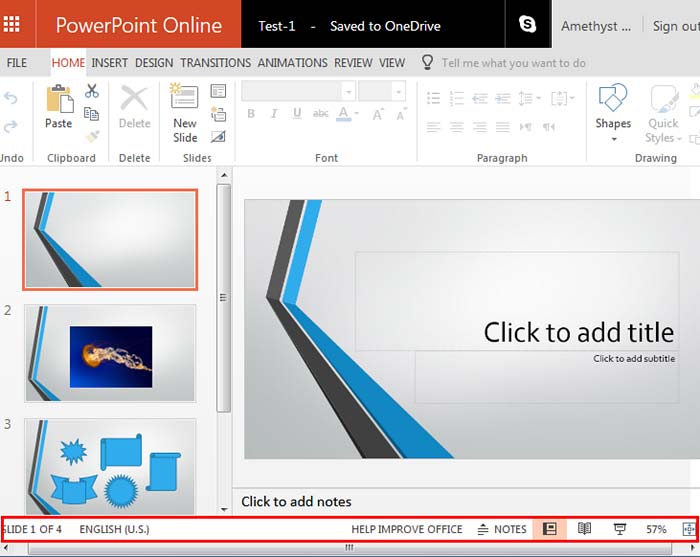
Learn about the options available on the Status Bar within PowerPoint for the Web.
Related Posts
 PowerPoint isn’t just a handy tool—it’s a powerhouse in your workflow! Not only does it come packed with tons of features, but it also plays nice with...
 Like many other tasks you do in PowerPoint, inserting a new slide can be done in multiple ways. You just need to find a way that works best for you. T...
 Have you created all your slides in PowerPoint for the Web, and now you want to show it in front of an audience? Or you just want to use this slide de...
 Reading view is the default view in PowerPoint for the Web. It is similar to the Slide Show view in some ways because, in both views, the slide is sho...