
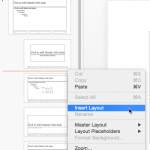
While changing the Slide Layout for any given slide(s) in PowerPoint 2016 for Mac, you typically access the Home tab of the Ribbon and click the Layout button. This brings forth the Layout drop-down gallery. The number of Slide Layouts that you see within this gallery may differ depending upon the Theme of your active presentation. However, with PowerPoint’s default Office Theme applied, you may see 11 layouts. So, where do these Slide Layouts come from? What influences how they look, or how the placeholders within them are laid out? To find out answers to these questions, you need to access Slide Master view within PowerPoint.

Explore Slide Layouts within Slide Master view in PowerPoint 2016 for Mac.
Related Posts
 Do you want your pictures to be contained within shapes that look like frames? Or maybe you want to use silhouette-style placeholders for your picture...
 Slide Layouts are a very useful feature because they let you use a preset arrangement of placeholders repeatedly, resulting in consistent looking slid...
 In PowerPoint, a placeholder is a container that you can use to fill in with some content. When you launch PowerPoint, you will see distinctive boxes ...
 Using different Slide Layouts in PowerPoint, you can create good-looking slides. For example, you can use the ready-made layouts available that contai...