
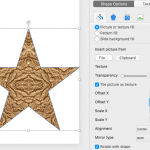
PowerPoint’s fill options for shapes are extensive. The texture fills incidentally are not too different from picture fills, other than the fact that they can be tiled. PowerPoint includes a built-in library of textures, and you can also import any picture, to be used as a texture.

Add texture fills to shapes in PowerPoint 2016 for Mac.
Related Posts
 Tiling options are available when you add texture fills to shapes or even use a picture as a fill for a shape. Tiling can really make a difference to ...
 Insert a new shape into a PowerPoint slide, and you'll see that it may be filled with a solid color and has an outline by default (this may differ dep...
 Shape fills such as solid colors, gradients, pictures, and textures can have a Transparency attribute that lets you reduce the opacity of a fill so th...
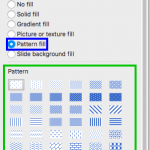 Pattern fills for shapes are two-color designs comprising lines, dots, dashes and checks. PowerPoint includes 48 patterns such patterns with names lik...