
 (No Ratings Yet)
 Loading...
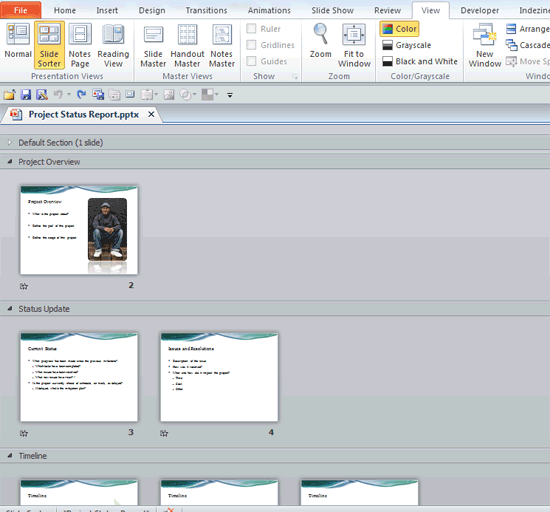
It doesn’t matter if there are many slides within your presentation, or just a few. If you have many slides, you may find the content difficult to handle, edit, or even deliver. And if you have a few slides, even then you may have the need to organize them logically in Sections. Yes, Sections are a PowerPoint feature that lets you organize slides into segments or divisions for easier management. The Section option is new within PowerPoint 2010 — and enables you to divide your presentation slides into logical parts.
Related Posts
 If your presentation has a large Section, containing plenty of slides, then it is quite possible that this Section may make it difficult to view the o...
 Sections in PowerPoint are not just meant for managing your slides easily, but they can also help you quickly reorder large sets of adjacent slides. F...
 After creating Custom Slide Shows, you would like to view them or present them to your audience. Of course you can access the Custom Shows dialog box,...
 When you are working on a presentation with your client, or even a co-worker, you might end up in a situation where instead of working on the same cop...