
PowerPoint provides several bullet styles that you can choose from — but they do look a little canned since almost every PowerPoint slide these days uses the same bullet styles! You could get rid of bullets altogether and use small sentences/paragraphs instead, or maybe you could explore picture bullets — to insert any picture as your bullet. Of course, for picture bullets to work, your picture needs to be small, no larger than a medium-sized dot. And it helps if it has transparent areas. If all this talk about the size and transparency of a picture bullet makes you curious, don’t worry because we explain it all!

Learn how to use pictures as bullets in PowerPoint 2013 for Windows.
Related Posts
 Are you stuck with a presentation that uses strange fonts? Or have you inherited slides where you need to change fonts globally? Fortunately, you don’...
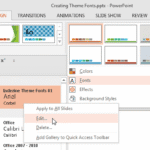 Theme Fonts comprise a pair of font choices, one each for your slide titles (Heading font) and the other for everything else on your slides (Body font...
 In PowerPoint when you type text within a placeholder, the default result is that you create a bulleted list. Also, when you import an outline, all th...
 PowerPoint enables you to use picture bullets rather than the conventional symbol bullets, and while you can choose from an impressive collection of r...