
 (No Ratings Yet)
 Loading...
Have you seen that PowerPoint automatically reduces the size of your text when you type in too much text? Or does the text box itself increase in size when you type in a sentence or two more than what can fit into the text box? Does this automatic hand-holding by PowerPoint drive you crazy and want to hit your head on the wall? Well, you really don’t have to worry because you can make PowerPoint behave itself — and bend it to your will.

Learn about text box autofit options in PowerPoint 2013 for Windows.
Related Posts
 Text is an important element in your PowerPoint slides, and most of the time, text alignment is taken care by the defaults set in your presentation te...
 Are you stuck with a presentation that uses strange fonts? Or have you inherited slides where you need to change fonts globally? Fortunately, you don’...
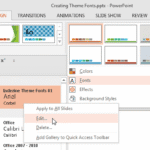 Theme Fonts comprise a pair of font choices, one each for your slide titles (Heading font) and the other for everything else on your slides (Body font...
 Unlike slides which are primarily presented through a display device such as a monitor, TV screen, or projector, the Notes and Handouts in PowerPoint ...