
 (No Ratings Yet)
 Loading...
Default slide background options are limited to solid or gradient fills — and yes, you can even apply a picture as a slide background. However, picture backgrounds do pose some issues, especially since a busy picture may hamper the visibility of other slide objects such as text or charts. Fortunately, PowerPoint provides options to reduce the intensity of a picture background so that any foreground elements such as text can stand apart.
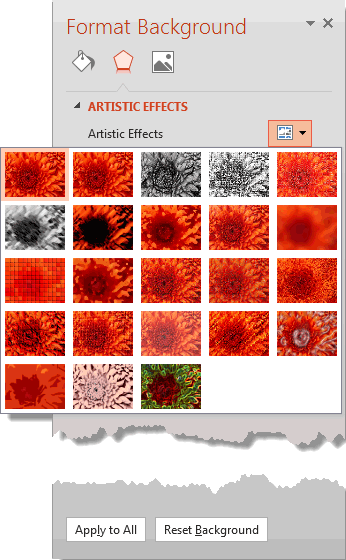
Explore various artistic effects for Picture backgrounds in PowerPoint 2013 for Windows.
Related Posts
 One of the worst things that you can do to your PowerPoint presentation is to add a busy, multi-colored picture background to your slides. However, pe...
 Do you want to remove a sky, a wall, any backdrop, or something else in a photograph so that the slide background shows through within those removed p...
 Although it's not too common to have bright and vivid picture backgrounds for your slides, it is not unheard of. You will often see slides that are sa...
 Patterns in PowerPoint are two-color designs comprising lines, dots, dashes, checks, etc. PowerPoint includes 48 such patterns with names like plaid, ...