
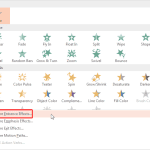
Emphasis Effect animations determine how the slide object calls attention to itself while it is on-the-slide. Entrance and Exit effect animations allow a slide object to enter or exit the slide area, whereas slide objects with Emphasis Effect animations are already there on the slide area before they start animating, and will be there even after they have finished animating. Typical Emphasis Effects are Spin and Grow/Shrink. You can also apply Emphasis Effect animations to text objects so that the fonts or the text colors change.

Explore Emphasis animations in PowerPoint 2013 for Windows.
Related Posts
 If you want to create movie-credits style animations in PowerPoint, you will miss the Crawl Entrance animation option that was available in older vers...
 You have a 5 minute video or audio clip playing on your slide. And exactly after the clip has played for 30 seconds, you want some text to appear supe...
 After inserting a SmartArt graphic in PowerPoint 2013, you can add animation to your SmartArt graphic. You'll discover that the entire graphic animate...
 An interactive PowerPoint presentation always interests audiences since it gets them involved actively navigating the slides. However, the audiences f...