
Google’s Image Source Search is an amazing piece of work – we use it all the time to find a source of an unknown image! So how does Google recognize an image — with text, of course Google’s search algorithms have some content to index and then retrieve? But what does it store for images? Colors? Resolution? File name? Or more?

Learn how Google’s Image Source Search works.
Related Posts
 Do you have a picture somewhere that's been with you for years -- and you have the perfect opportunity to use it in next week's big presentation? And ...
 Many times, you may want to add an image within a star shaped container, or any other container shape, such as a diamond, a teardrop, or even a triang...
 PowerPoint offers so many shapes, from simple rectangles and ovals to playful options like pies and smiley faces. While you can use these shapes as-is...
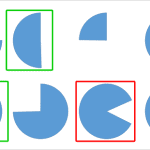 Sometimes you may wonder why PowerPoint does not provide options for the shapes that you want to use! The other day someone wanted to create a shape r...