
The Ribbon is the long strip comprising tabs with buttons across the top of the main window within the PowerPoint interface. Since PowerPoint 2007, the Ribbon has replaced all the menus and toolbars that were found in PowerPoint 2003 and older versions. The Ribbon contains almost all the commands you need to work with your slides, and is designed in a way that helps you quickly find the commands that you need to complete a task. You no longer have to search commands endlessly through many menus and sub-menus.
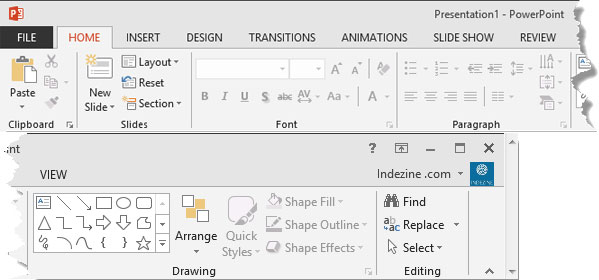
Learn about the Ribbon in PowerPoint 2013 for Windows.
Related Posts
 Microsoft Office 2013 for Windows was released on October 11, 2012. It is the successor of the previous version, Office 2010, and among the most used ...
 Do you want to add an infinity symbol on your slide? Or do you want to add one of the mathematical symbols? Or even the Yen or Rupee symbols? PowerPoi...
 Text is an important element in your PowerPoint slides, and most of the time, text alignment is taken care by the defaults set in your presentation te...
 While you can open and save files from any file location you access on your computer or network, you can also add more places from where you can open ...