
Make titles and larger sub-titles on your slides stand out by applying these text effects to them. The presentation you will download includes 12 different text effect styles that can be applied to any text in PowerPoint 2007, 2010 or higher on Windows (and also PowerPoint 2008, 2011 or higher on Mac). Most of these text effects are subtle, yet beautiful – and all text styles are Theme aware. When applied to your slide titles, headings, sub-headings etc., they can enhance the value of your slides. Once you have downloaded the sample presentation, all you have to do is copy text attributes of the sample text using Format Painter button, and then paste them on to your text.

Download and use the text effects from this presentation.
Related Posts
 The sample presentation that you download contains 12 different text effects that can be applied to any text in PowerPoint 2007, 2010 or higher on Win...
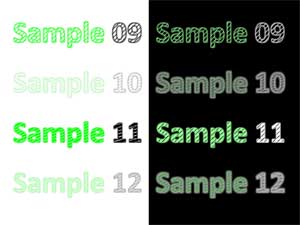 We have brought together 12 different text effects for you to use with any text in PowerPoint 2007, 2010 or higher on Windows (and also PowerPoint 200...
 The 12 different text effects contained within this sample presentation can be used with any text in PowerPoint 2007, 2010, or higher versions in Wind...
 There are 12 different text effects contained within the sample presentation that you can apply to any text in PowerPoint 2007, 2010 or higher on Wind...