
Have you seen that PowerPoint automatically reduces the size of your text when you type in too much text? Or does the text box itself increase in size when you type in a sentence or two more than what can fit into the text box? Does this automatic hand-holding by PowerPoint drive you crazy and want to hit your head on the wall? Well, you really don’t have to worry because you can make PowerPoint behave itself — and bend it to your will. You can make these changes in two places — and which place you choose to make these changes will depend upon how much control you want.
Learn about text box autofit options in PowerPoint 2010 for Windows.
Related Posts
 Have you ever been in a situation where your presentation looked so awesome with some amazing typography, but when you opened the same presentation on...
 There is no built-in tool for highlighting text in PowerPoint 2010. However, there is a workaround to highlight your PowerPoint text using the Text Hi...
 As of now, no PowerPoint version supports text highlighting as a feature you can add to selected text. And, before we explore a workaround to overcome...
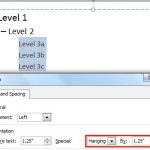 When your text paragraphs comprise multiple bulleted levels, indentation becomes a must to make your text look consistent and clear. Indent Markers vi...