
PowerPoint provides several bullet styles, and you can choose from them — but they do look a little canned since almost every PowerPoint slide these days uses the same bullet styles! You could get rid of bullets altogether and use a small sentence instead, or maybe you could explore picture bullets — to insert any picture as your bullet. Of course, for picture bullets to work, your picture needs to be small, no larger than a medium-sized dot. And it helps if it has transparent areas — if all this talk about the size and transparency of a picture bullet makes you dizzy, don’t worry because PowerPoint has so many picture bullets built within the program!
Learn how to use picture bullets in PowerPoint 2010 for Windows.
Related Posts
 Have you ever been in a situation where your presentation looked so awesome with some amazing typography, but when you opened the same presentation on...
 There is no built-in tool for highlighting text in PowerPoint 2010. However, there is a workaround to highlight your PowerPoint text using the Text Hi...
 As of now, no PowerPoint version supports text highlighting as a feature you can add to selected text. And, before we explore a workaround to overcome...
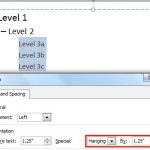 When your text paragraphs comprise multiple bulleted levels, indentation becomes a must to make your text look consistent and clear. Indent Markers vi...