
The Slide area in PowerPoint includes the actual slide, the slide workspace (blank area surrounding the slide), and the scrollbars that let you navigate to other slides. Learn about the slide area in PowerPoint 2010, and what you can do to make your slide editing easier and more productive.

Related Posts
 Are you stuck with a presentation that uses strange fonts? Or have you inherited slides where you need to change fonts globally? Fortunately, you don’...
 Sometimes, you want to know whether you are running a 32 or 64-bit version of PowerPoint or Office. Yes, if you are running a 32-bit version of Window...
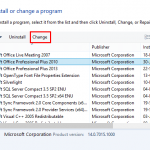 At times, you may want to change your default version of PowerPoint. This decision can be important for you if you have multiple versions of PowerPoin...
 We already looked at the Trust Center in a previous tutorial. But who knew that there so many settings available within the Trust Center? In this tuto...
There are a few other great uses of the "gray matter": (1.) Let's say you have a large number of slides with photos or other images on each, but no text, and you want to be able to instantly navigate to particular slides. If you put a reminder word in the gray area of those slides, you can use "find" to get to the slide you want in a wink. (2.) If you can't quite fit your slide's title in the title line, widen the line a bit to the right — yes INTO the gray area. Chances are you will be able to comfortably fit in one more letter.