
SmartArt is a handy diagramming tool that first showed up in PowerPoint 2007 for Windows. These days, you can find it on just about every platform PowerPoint runs on—Windows, Mac, Android, iOS, and even the Web. The magic of SmartArt? It lets you ditch boring bullet points and turn your text into eye-catching infographics, with shapes that make your content pop.

Discover how to work with SmartArt in PowerPoint.
Related Posts
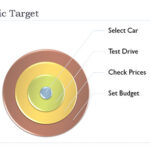 On this page you can see some samples of SmartArt created within PowerPoint 2007. Each sample has a caption that tells you the name of that particular...
 In addition to creating SmartArt, and including a bunch of some great variants out of the box, Microsoft also created a way for individuals and develo...
 SmartArt is a handy diagramming tool that first showed up in PowerPoint 2007 for Windows. These days, you can find it on just about every platform Pow...
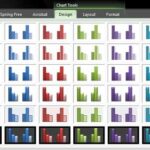 Long time PowerPoint users will remember the difficulties of charting. It was so painful, time-consuming, and repetitive a task changing the fills of ...