
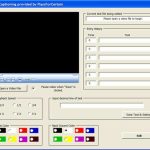
PowerPoint MVP Austin Myers loves to work with all sorts of multimedia issues in PowerPoint and now with a simple piece of code that he is giving away for free, you can place text over video in a PowerPoint slide! I have lost count of how many times I have told users that this is not possible — and now I’m changing my response on this one to tell users that it can be done!
As Austin mentions, …I happened across something that made the little light go on, I gave it a try and believe it or not the result was I discovered how to display text over video. The key to doing this is to use “controls” to hold the text.

Take a look here to see Austin’s tutorial.
Austin also makes the amazing PFCMedia, PFCExpress, and PFCPro products. Do download trial versions of these products at his site while reading his text over video tutorial!
Related Posts
 PowerPoint MVP Austin Myers has developed a step-by-step tutorial on inserting closed captioned video in PowerPoint.Austin adds, As we build presentat...
 If you want to insert a video clip within your PowerPoint slide, spare a thought for why you would insert video clips in the first place. Most of the ...
 After designing your learning material and quizzes for an online course within Adobe Presenter, you would want to know how this online course will hel...
 Adobe Presenter provides an option to use Themes. These Themes enable you to customize how your presentations appear in the Presenter viewer. Themes l...