
 (No Ratings Yet)
 Loading...
In addition to creating SmartArt, and including a bunch of some great variants out of the box, Microsoft also created a way for individuals and developers to create their own custom SmartArt Layout files – these new SmartArt Layouts had the file extension, GLOX — and could be dropped into a designated folder — and that would result in additional SmartArt graphics being available to you.

Learn how you can get more SmartArt graphic variants.
Related Posts
 In addition to creating SmartArt, and including a bunch of some great variants out of the box, Microsoft also created a way for individuals and develo...
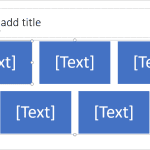 SmartArt is a visual option in PowerPoint and some other Microsoft Office programs that allows you to create diagrams easily. Not only can you create ...
 SmartArt is a handy diagramming tool that first showed up in PowerPoint 2007 for Windows. These days, you can find it on just about every platform Pow...
 We already showed you how you can navigate within a PowerPoint presentation within Office Mobile for iOS – now let us explore how you can open and sav...