
Each logged-in user has a default custom dictionary called RoamingCustom.dic — in addition you can create and use many more custom dictionaries. Over time, your custom dictionaries may become a very useful resource, especially since any custom dictionary loaded is used by all the Office applications such as Word, Excel, PowerPoint, and Outlook. Let us assume that you have added several words to the custom dictionaries over the last 4 or 5 years, and now you need to move to a new computer. Or probably you have a colleague who is going to help you with some documentation, and you obviously want him or her to use your custom dictionary. To share the actual dictionary files (.dic), you first need to find out where they are stored on your computer.

Learn how to share custom dictionaries in PowerPoint 2013 for Windows
Related Posts
 Text is an important element in your PowerPoint slides, and most of the time, text alignment is taken care by the defaults set in your presentation te...
 Are you stuck with a presentation that uses strange fonts? Or have you inherited slides where you need to change fonts globally? Fortunately, you don’...
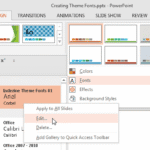 Theme Fonts comprise a pair of font choices, one each for your slide titles (Heading font) and the other for everything else on your slides (Body font...
 Unlike slides which are primarily presented through a display device such as a monitor, TV screen, or projector, the Notes and Handouts in PowerPoint ...