
This is the print version of this page. All content is copyright Indezine.com 2000-2026.
Thoughts and impressions of happenings in the world of PowerPoint and presentations, continuously updated since 2003.
See Also:
PowerPoint and Presenting Notes
PowerPoint and Presenting Glossary
NewSoft announced the WMS 200 Video wireless projector adapter, that complements the existing WMS 100 Image adapter. The WMS 200 transmits lossless, high quality MPEG-1, 2, and 4 video, music, high-resolution images, and presentations featuring animation and audio.
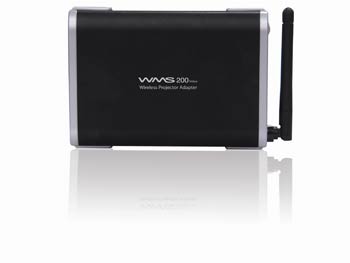
The WMS series are the first adapters that wirelessly link WiFi-ready laptops directly to projectors and displays. Expected to retail at a price of $349, the WMS 200 enables you to broadcast video, audio, pictures and slides from anywhere in the room to high resolution projectors and displays.
The WMS 200 also includes the Presto! WMS software, which controls access to the adapter and also offers an interface for broadcasting content.
The wireless projector adapter can support resolutions up to 1280 x 1024 at 16/24/32 bit color modes and is compliant with Wi-Fi 802.11 a/b/g standard.
More details are available on the Newsoft site.
Filed Under:
Hardware
Tagged as: Hardware, PowerPoint, Projector
Comments Off on Newsoft’s WMS 200 Video Wireless Projector Adapter
You can now sign up for a beta version of SlideRocket, the new presentation program that runs on AIR (Adobe Integrated Runtime).

Visit for a product tour, and to sign up.
Filed Under:
Companion Programs
Tagged as: Companion, Online Presentations, PowerPoint, SlideRocket
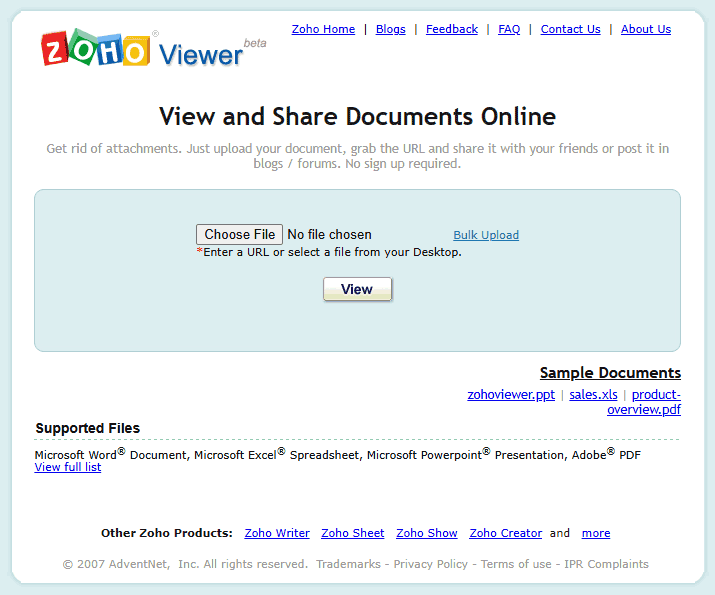
Zoho Viewer is a handy way to upload documents and share them with others via the web. Rather than clogging your friends’ e-mail boxes with weighty attachments, you can upload them to Zoho Viewer and just send a link. Viewer supports Microsoft Word, Excel and PowerPoint files as well as PDF, RTF, ODF and OpenOffice documents, which means even if your intended recipient doesn’t have a particular program installed, they’ll still be able to view it through Zoho Viewer.
More on the Wired Blog Network.
Filed Under:
Companion Programs
Tagged as: Companion, Online Presentations, PowerPoint, Zoho
Comments Off on Zoho Viewer: Solution for Bulky E-mail Attachments
Apple announced iWork ’08, a new version of its productivity suite.
This includes a new version of Keynote, their presentation software. New features in Keynote include:
All these options except Instant Alpha are already available in PowerPoint, and Microsoft’s upcoming version of Office 2008 for the Mac can only add more catch-up to do on both the Apple and Microsoft fronts.
As if that was not enough, Apple adds Numbers, a spreadsheet program to iWork ’08, thus making it a more even contender to Microsoft Office for the Mac.
Pages, the page layout program adds more word processing options.
What’s next? Is there an iWork for Windows coming up?
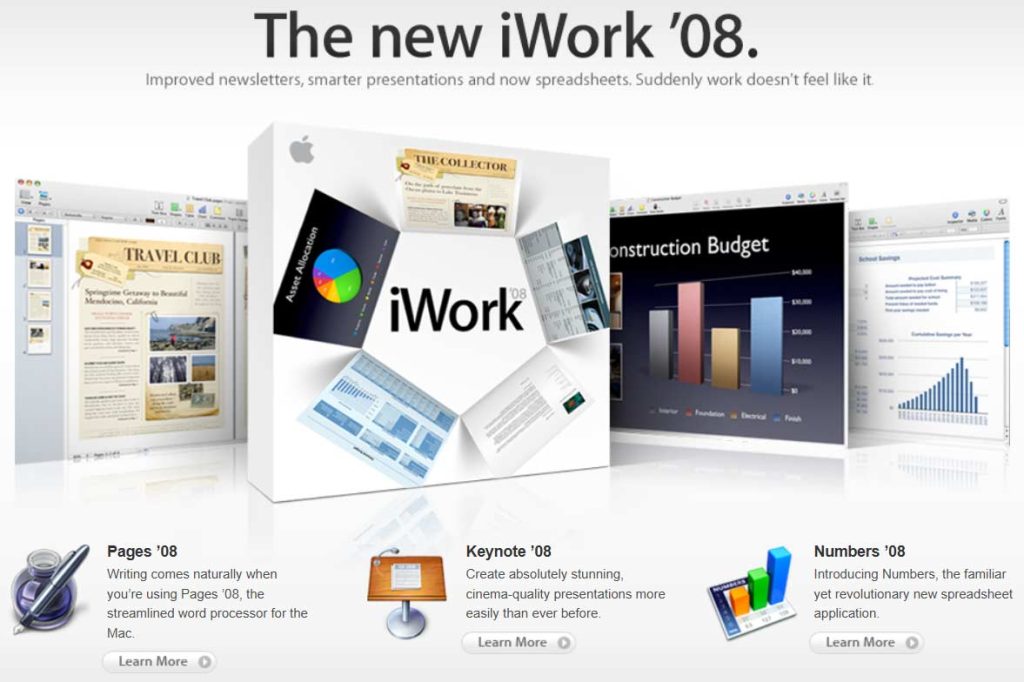
Meanwhile, read more about iWork ’08 for Mac here.
Filed Under:
Companion Programs
Tagged as: Apple, Companion, iWork, Keynote, Microsoft Office, Office for Mac
Comments Off on Apple Announces iWork ’08, New Keynote Version, and New Numbers Program
FlashSpring Pro is a PowerPoint add-in which allows you to converts your PowerPoint presentations into Flash SWF movies with all the slide transitions, custom animations, audio and video clips, and inserted Flash SWF files intact.
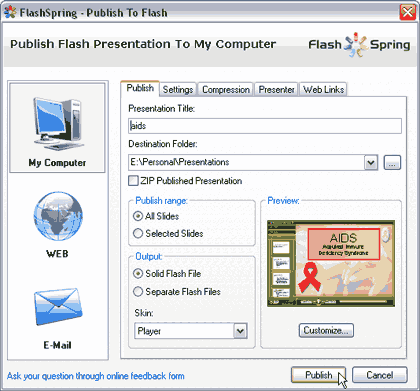
Read the Indezine review of FlashSpring Pro 2.2.
Filed Under:
Add-ins
Tagged as: Add-in, Online Presentations, PowerPoint, PowerPoint Flash
Comments Off on FlashSpring Pro 2.2
Microsoft and the Office logo are trademarks or registered trademarks of Microsoft Corporation in the United States and/or other countries.