
This is the print version of this page. All content is copyright Indezine.com 2000-2026.
Thoughts and impressions of happenings in the world of PowerPoint and presentations, continuously updated since 2003.
See Also:
PowerPoint and Presenting Notes
PowerPoint and Presenting Glossary
Business Objects is providing Indezine readers with special pricing on their Xcelsius Standard charting application that integrates with PowerPoint to allow interactivity. Normally, the product retails for $195, but until March 31st, 2016 you can use this link to buy the product for just $99; that’s a saving of $96 off the standard price.

Filed Under:
Companion Programs
Tagged as: Crystal Xcelsius
Impatica Inc. announced that it has commenced customer shipments of Impatica ShowMate, a solution that allows users to project PowerPoint presentations directly from their BlackBerry devices.
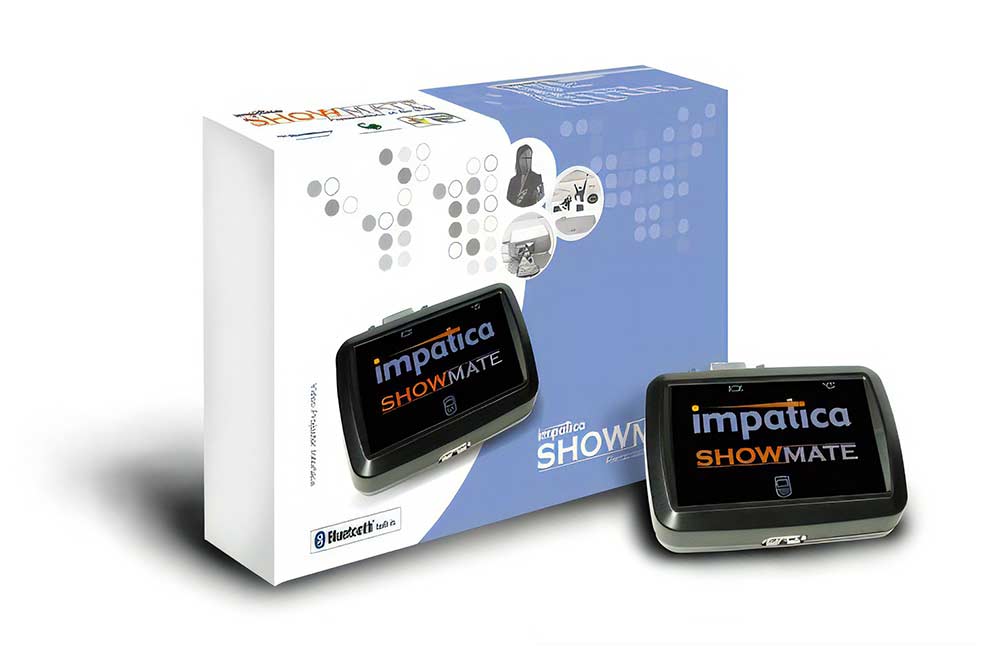
Read more on the eMediaWire site.
Filed Under:
Hardware
Tagged as: BlackBerry, Hardware, Impatica
 Ray Larabie became interested in fonts in the early 70’s when his grandmother gave him sheets of Letraset. He became so familiar with typefaces that, by the time he was 17, he could identify hundreds of fonts by name. Ray now heads Larabie Fonts and Typodermic.
In this interview, Ray discusses font usage in PowerPoint.
Filed Under:
Interviews
Tagged as: Fonts, Interviews, Ray Larabie

Kurt Dupont from PresentationPoint is a man of ideas. It is always interesting to see what he is going to do next. The wait is over, and Kurt’s new product is OutlookPoint, an add-in for Outlook that copies email messages, appointments, tasks, contact persons, and notes to a database. Then you can use their DataPoint product to display this info inside PowerPoint.
Filed Under:
Add-ins
Tagged as: Kurt Dupont, PresentationPoint
Office 2007 XML formats use compression technologies so files tend to take up much less disk space. Internal data storage of the Office XML Formats is segmented into discreet components—for example, embedded code is stored separately from the document content inside the file. Each component within a single file is compressed using ZIP compression technology. In addition to the compression of each document segment, the entire document is also compressed using ZIP compression. As a result, the sizes of Microsoft Office Word documents, Microsoft Office Excel spreadsheets, and Microsoft Office PowerPoint presentations are reduced. The amount of compression and size savings varies per file.
Read more on the Data Compression News Blog
Filed Under:
PowerPoint 2007
Tagged as: Office 2007, PowerPoint 2007
Microsoft and the Office logo are trademarks or registered trademarks of Microsoft Corporation in the United States and/or other countries.