
This is the print version of this page. All content is copyright Indezine.com 2000-2026.
Thoughts and impressions of happenings in the world of PowerPoint and presentations, continuously updated since 2003.
See Also:
PowerPoint and Presenting Notes
PowerPoint and Presenting Glossary
Griffin AirClick USB ($40) is a small, well-designed remote control that works on both Macs and PCs. Its strength is remotely controlling songs on iTunes on both platforms, allowing you to fast forward and rewind, play the next or previous tune, or pause/play. It can also control the volume. The tiny remote can also control PowerPoint and Windows Media Player 10 on the PC platform, and DVD Player, Keynote, PowerPoint 2004, QuickTime Player, and the VLC (VideoLAN Client) media player on the Mac.

Although PowerPoint has a plethora of options as far as creating infographics is concerned, there are umpteen ways of making better infographics outside PowerPoint. Microsoft offers Visio as an interesting option – but then Visio is an enterprise-level product more geared towards large organizations rather than everyday PowerPoint users. If you identify with this situation and want a product with a reasonable amount of choices and possibilities, you might want to look at ConceptDraw.

Read the Indezine review of ConceptDraw.
Filed Under:
Reviews
Tagged as: ConceptDraw, Diagrams, Infographics, Review

We have seen it countless times before, but this latest one was particularly poignant. The intelligent presenter, with something important to say, who got lost in her slides. She started out beautifully, introducing herself and her ideas, standing before a well-designed title slide. She knew what she wanted to say and she said it — a surprisingly complete strategy for delivering a good presentation.
Rick Altman explains more about the golden triangle of presentations.
Filed Under:
Guest Posts
Tagged as: Guest Post, Presentation Skills, Rick Altman
When Bill Gates showed off the new Metro document format in Longhorn at a hardware conference last week, some analysts were quick to call it a PDF killer.
In a presentation on Metro, Brown talked about some of the benefits of the Metro system, including efforts to create files that take up less space than other fixed-format document files. To do that, Metro looks for repeated data. For example, if a photo is used as a background in 20 PowerPoint slides, Metro includes only one copy. Also, the system saves only those font characters that are used.
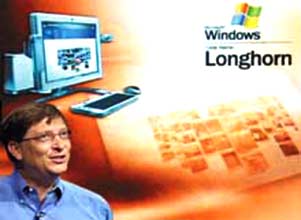
Read more on the CNET News.com site.
Filed Under:
Thoughts
Tagged as: Adobe, Bill Gates, Microsoft, PDF
The Solution Showcase highlights how leading companies are solving critical business problems using solutions built with the Microsoft Office System. These solutions are a small sample of the many ways organizations are transforming their businesses by taking advantage of the Microsoft Office products they already own and their employees use every day.

Read more on Microsoft’s Solution Showcase site.
Filed Under:
Microsoft Office
Tagged as: Microsoft Office, Office
Microsoft and the Office logo are trademarks or registered trademarks of Microsoft Corporation in the United States and/or other countries.