
This is the print version of this page. All content is copyright Indezine.com 2000-2026.
Thoughts and impressions of happenings in the world of PowerPoint and presentations, continuously updated since 2003.
See Also:
PowerPoint and Presenting Notes
PowerPoint and Presenting Glossary

What do you do when you have video problems within PowerPoint? Echo Swinford explores a 6-step process, such as turn down your hardware acceleration, shorten part length, update drivers and programs, etc.
Echo Swinford provides some answers.
Filed Under:
PowerPoint All Versions
Tagged as: Echo Swinford, Multimedia, Troubleshooting, Video
Comments Off on Troubleshooting Video in PowerPoint

Ellen Finkelstein is the author of How To Do Everything with Microsoft Office PowerPoint 2003 (and 2002) and a regular contributor to Presentations magazine, where she writes for the Creative Techniques column. Her company, Ellen Finkelstein, Inc. helps clients create presentations that communicate clearly and achieve their goals. She maintains a web site that offers PowerPoint tips and a selection of free backgrounds.
In this interview, Ellen talks about PowerPoint and her books.
Filed Under:
Interviews
Tagged as: Ellen Finkelstein, Interviews, PowerPoint
Comments Off on The Ellen Finkelstein Interview
Much of the PowerPoint world has no design training and yet people are expected to create presentations that are a combination of aesthetics and content. Luckily, part of that problem can be resolved if you start with a good template. So this article talks about templates. Many people don’t know how to create templates, so I’m going to explain how you do it.

Read more on the Computor Companion site.
Filed Under:
PowerPoint 2003
Tagged as: Templates, Tutorials
Comments Off on Create a PowerPoint Template in PowerPoint 2003 for Windows
The Omnivox is different from other speaker systems – in fact it’s not a speaker by itself in the first place. Omnivox is actually a small round device that turns any glass or wooden surface into a speaker merely by being in contact with it. Place a connected Omnivox device on a boardroom table and you have one large speaker that produces smooth and even sound.
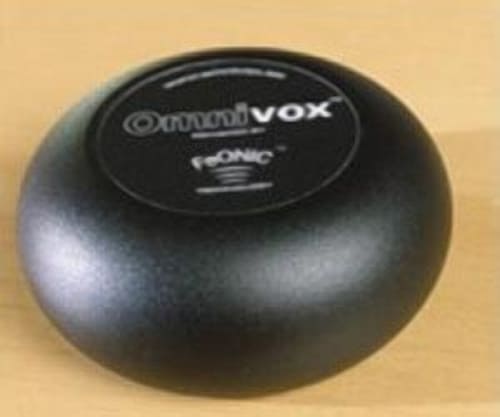
Read more in this review I wrote on the Presenter University site.
Comments Off on Omnivox – A Review
Take-off ShowPoint is a free Microsoft PowerPoint add-on that enables you to start a selected presentation remotely. Choose a common folder on your viewing computer. From any other computer in your network, you can copy a presentation to that folder. Take-off ShowPoint will detect that new presentation and will open and run the slide show automatically until a new presentation is sent.
Take-off ShowPoint supports Microsoft PowerPoint versions 2000, 2002, and 2003.

Learn how you can automatically run and control your Microsoft PowerPoint presentations remotely.
Filed Under:
Add-ins
Tagged as: Add-in, PowerPoint, PresentationPoint, ShowPoint
Comments Off on ShowPoint for Microsoft PowerPoint
Microsoft and the Office logo are trademarks or registered trademarks of Microsoft Corporation in the United States and/or other countries.